For early childhood centres in Aotearoa New Zealand
The dietitian-approved menu every one of your kitchens can run.
KaiPlan brings together a seasonal menu for ages 0 to 5, the allergens in every dish, kitchen sheets scaled to each centre's roll and the daily food record your licence asks for.
No children's names or health details are stored. Nothing to install.
Built around the rules and guidance your centres already work to
- Licensing criterion HS115The record of food provided
- Healthy Food and Drink GuidanceMinistry of Health, early learning services
- Reducing food-related chokingMinistry of Health guidance
- Plain English allergen namesFood Standards Code
- New Zealand FOODfilesFood composition data
Feeding children well is easy to agree on. Showing that you do is the hard part.
Three questions come up in every centre, and the answer usually lives in a ring binder, a spreadsheet or one person's head.
Is this menu right for a one year old and a four year old?
Checked against nutrition targets, portion sizes and choking guidance for each age group.
Which dishes this week contain egg, and who says so?
Allergens are worked out from the ingredients of every recipe. Nobody types them in.
Could we hand over three months of food records this afternoon?
Each centre records the day as it happens. The record prints as a licensing pack.
How it works
From the dietitian's desk to the kitchen bench, in three steps.
- 1
A dietitian builds your menu
Seasonal cycles for infants, toddlers and preschoolers, scored against nutrition targets and checked against Ministry of Health guidance. Nothing reaches a kitchen until it is approved.
- 2
Every kitchen cooks from the same page
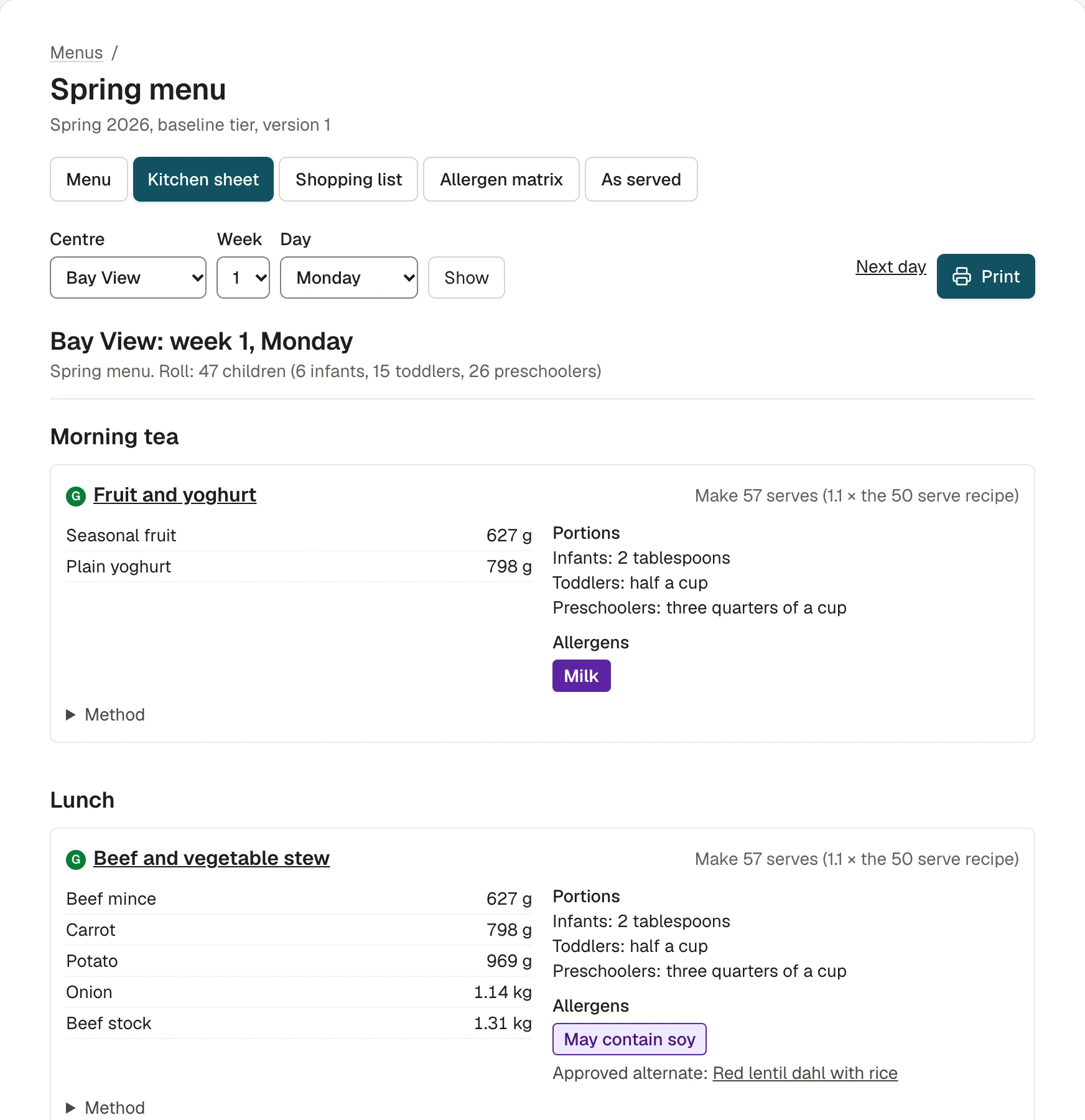
Each centre gets the menu as a kitchen sheet scaled to its own roll, with portions for each age group, a weekly shopping list and the allergens in every dish.
- 3
The day is recorded as it happens
The cook confirms what was served with one tap, or records a swap. Head office sees who is up to date, and parents see the real menu.
See it working
Real screens, recorded in the application.
No mock-ups. Each recording is under half a minute.
Lunch changed. The record is still right.
The cook opens today on the kitchen phone or tablet. If the day went to plan it is one tap. If lunch changed, they pick the alternate the dietitian already approved, add their name and confirm.
- Today's dishes with the allergens in each
- Approved alternates one tap away
- The day's food record, done before the dishes are
Menus for under fives
One menu. Three age groups. Every season.
Each recipe carries its own portion for infants, toddlers and preschoolers in household measures, with a note on how to change it for the youngest children.
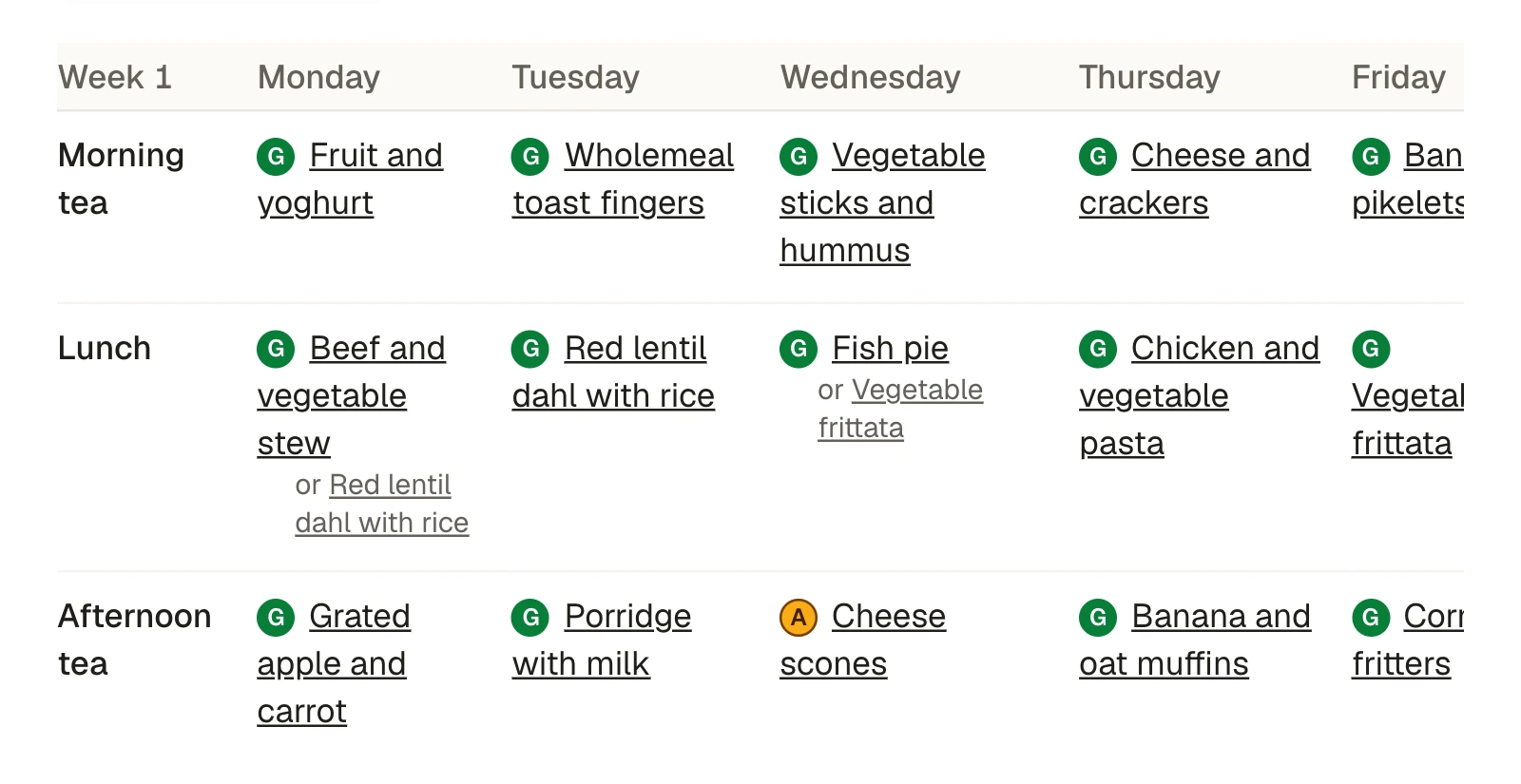
- Seasonal menu cycles, versioned, so you always know which menu was live on any day
- Portions in tablespoons and cups for each age group, not only grams
- Choking guidance on every ingredient: foods to avoid are blocked, foods to alter print with how to prepare them
- Approved alternates beside the dishes that need one, for vegetarian, halal and allergy needs
Allergens
Allergens that come from the ingredients, not from memory.
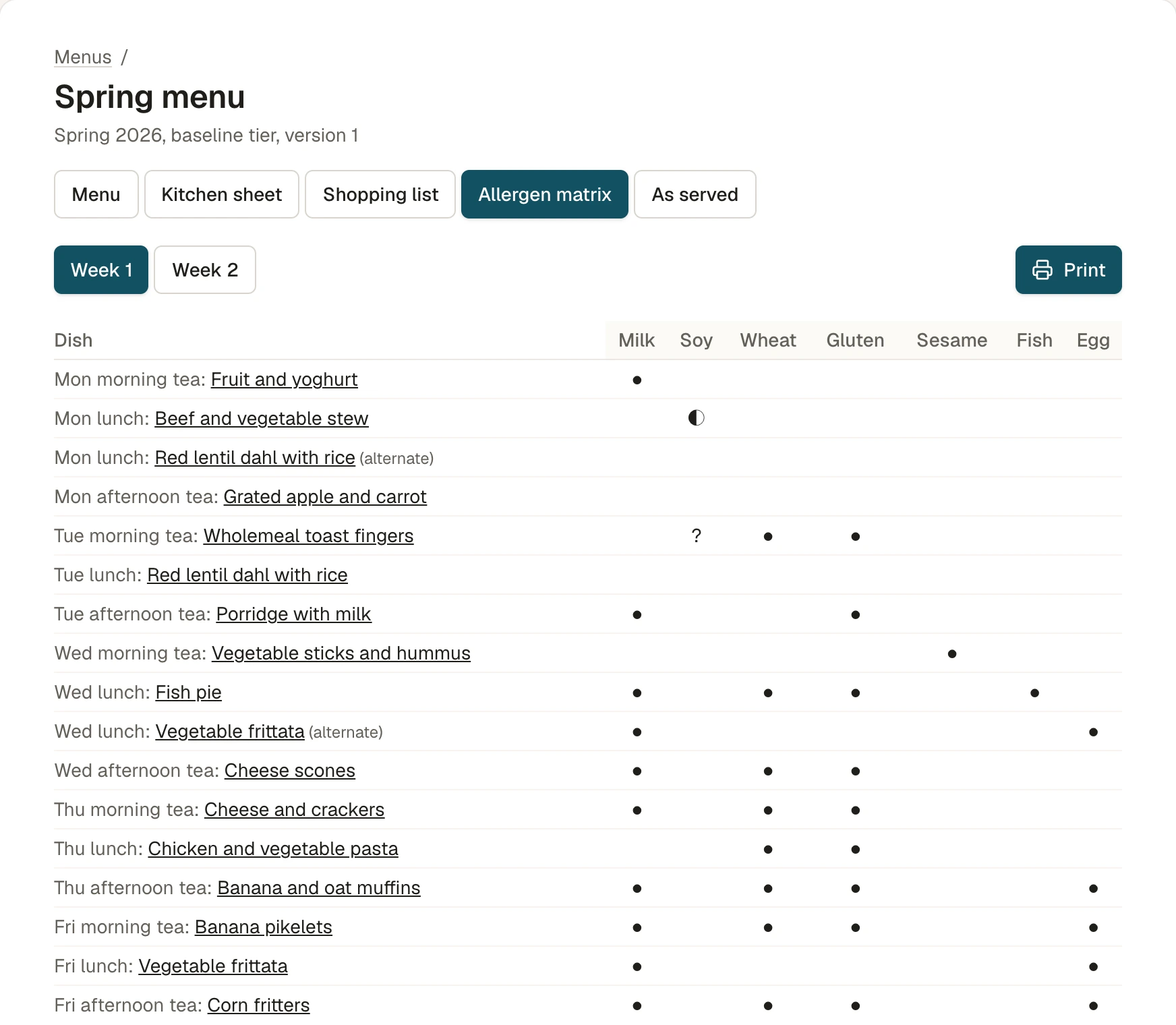
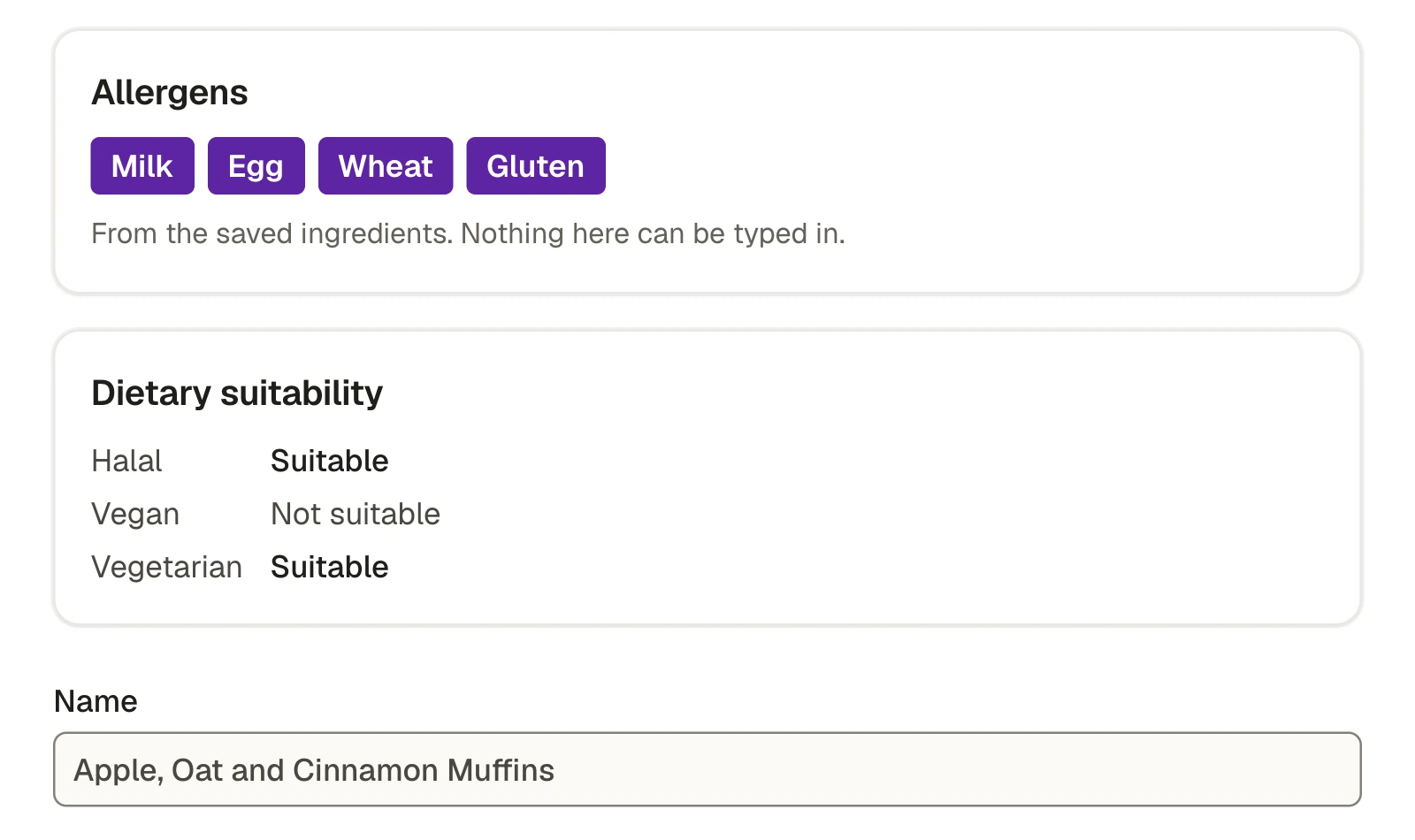
Nobody types an allergen onto a dish. Each one is worked out from every ingredient in the recipe, so correcting one ingredient corrects every dish that uses it.
- An allergen matrix for the whole week, ready to print for the kitchen wall
- May contain, and check the label, for products that depend on the brand your centre buys
- The plain English allergen names from the Food Standards Code, on every screen and printout
- If an ingredient is corrected, every live menu that uses it is flagged until it is reissued
Nutrition and assessment
A nutrition assessment you can put in front of your board.
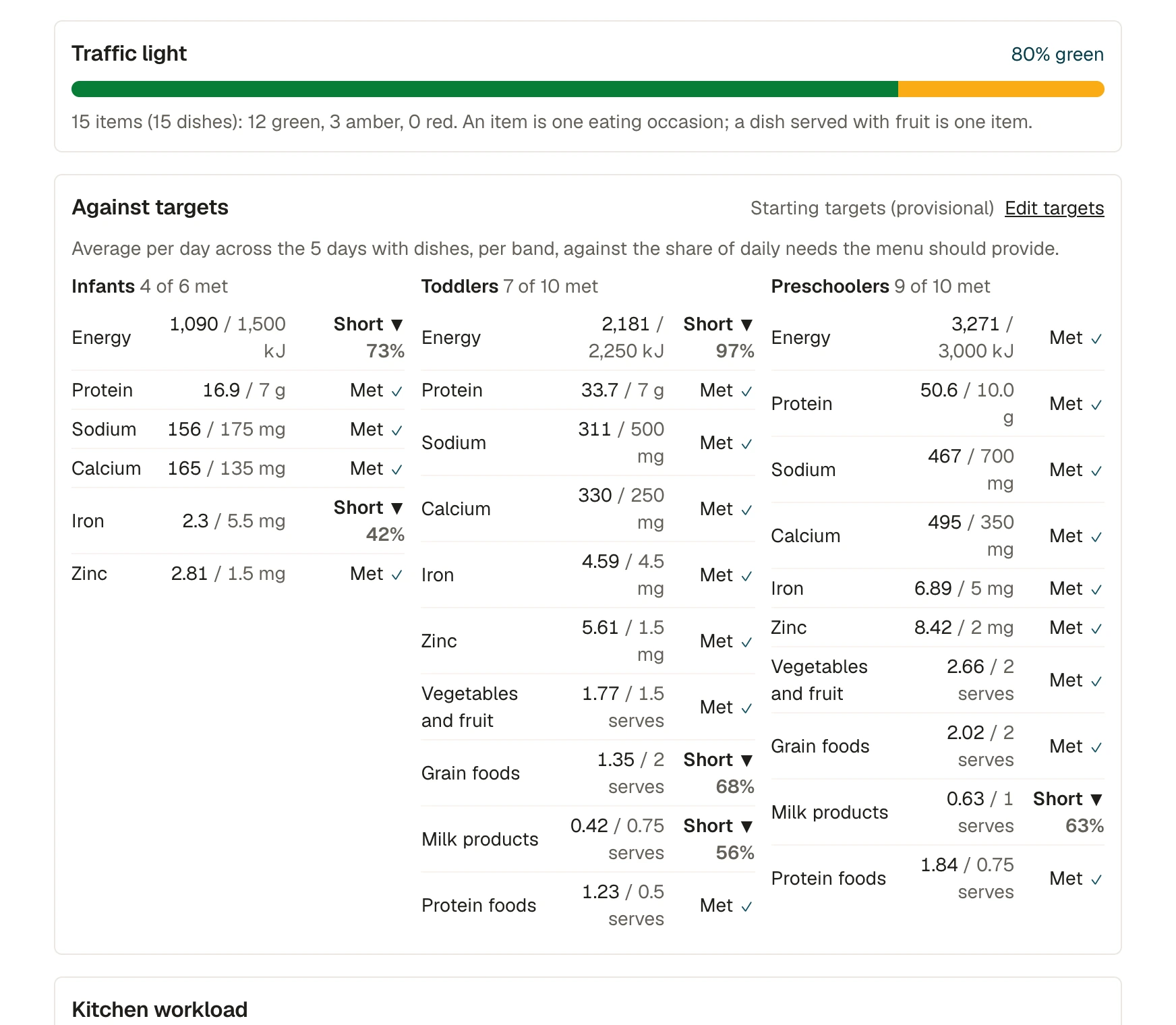
Every menu is calculated per serve for each age group from New Zealand food composition data, then scored against targets set by the dietitian.
- The share of green, amber and red items, against the Ministry of Health guidance of at least 75 percent green
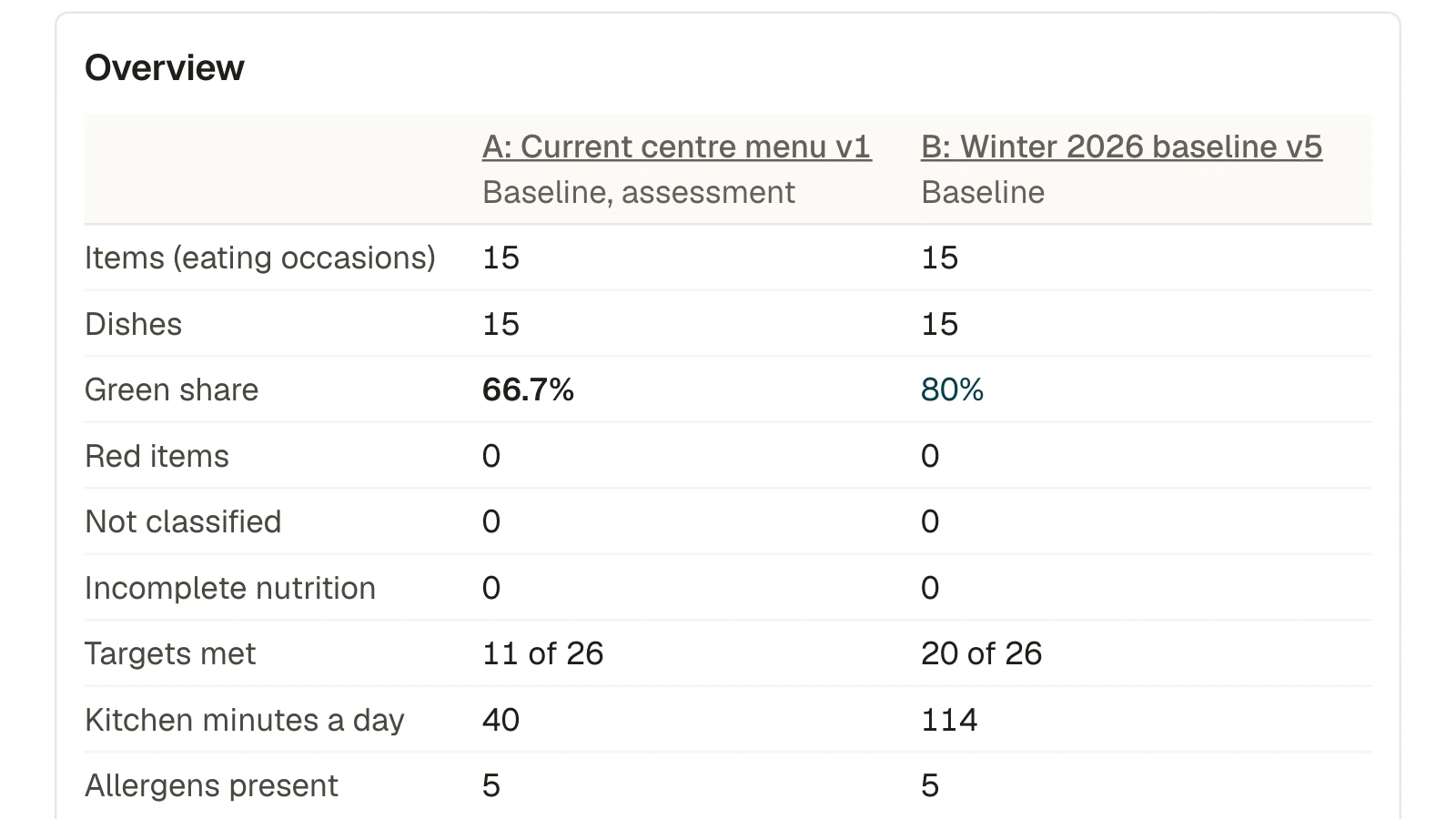
- Your current menus assessed in the same way, and compared side by side with the recommended one
- Levels of provision, such as a baseline and an enhanced menu, compared measure by measure
- A written report with the dietitian's findings and action plan, as Word or PDF
In the kitchen
Realistic for the kitchen you actually have.
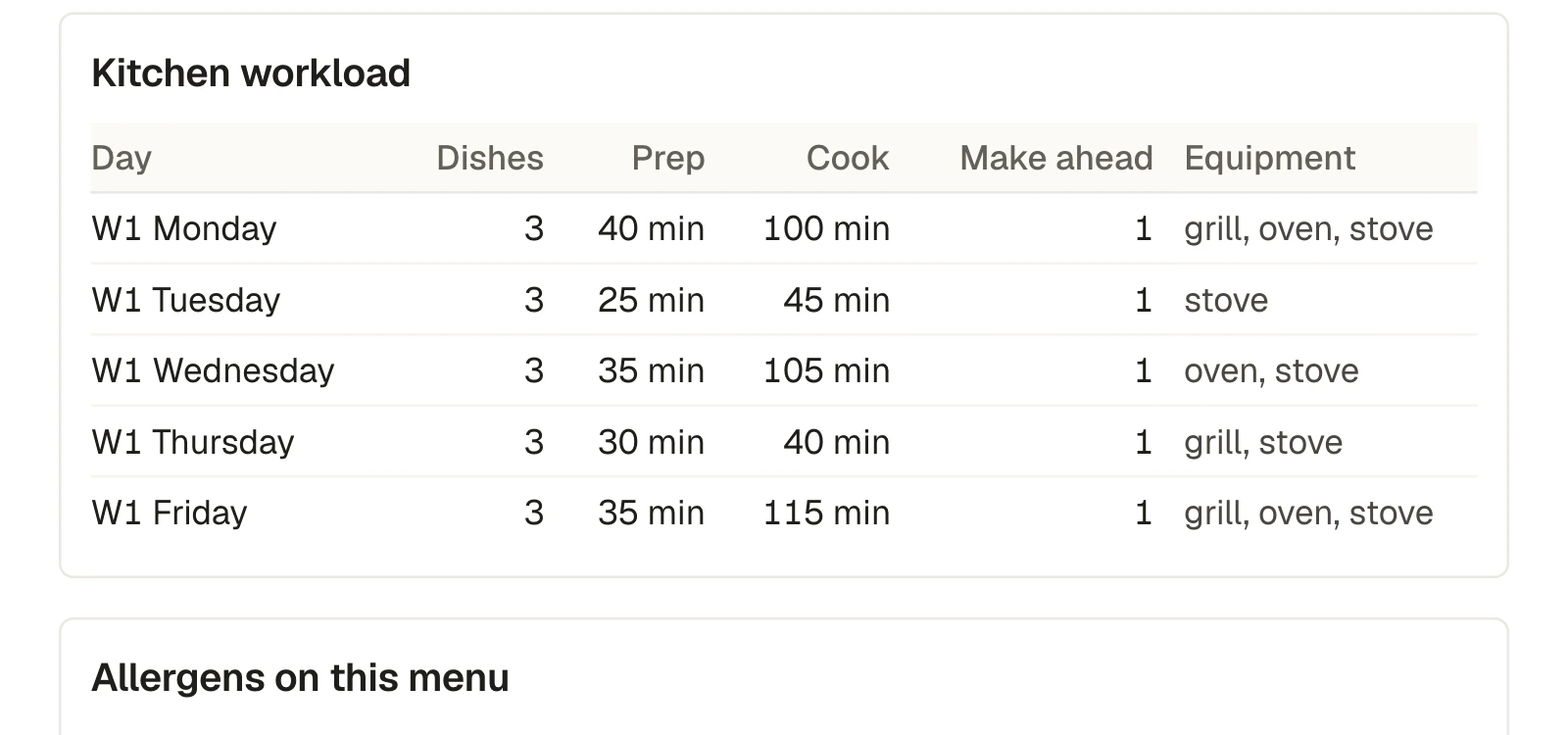
A menu that looks good on paper still has to be cooked by one person before half past eleven. KaiPlan shows the workload before the menu is approved, then does the arithmetic for every centre.
- Prep time, cook time and equipment on every recipe, totalled for each day of the cycle
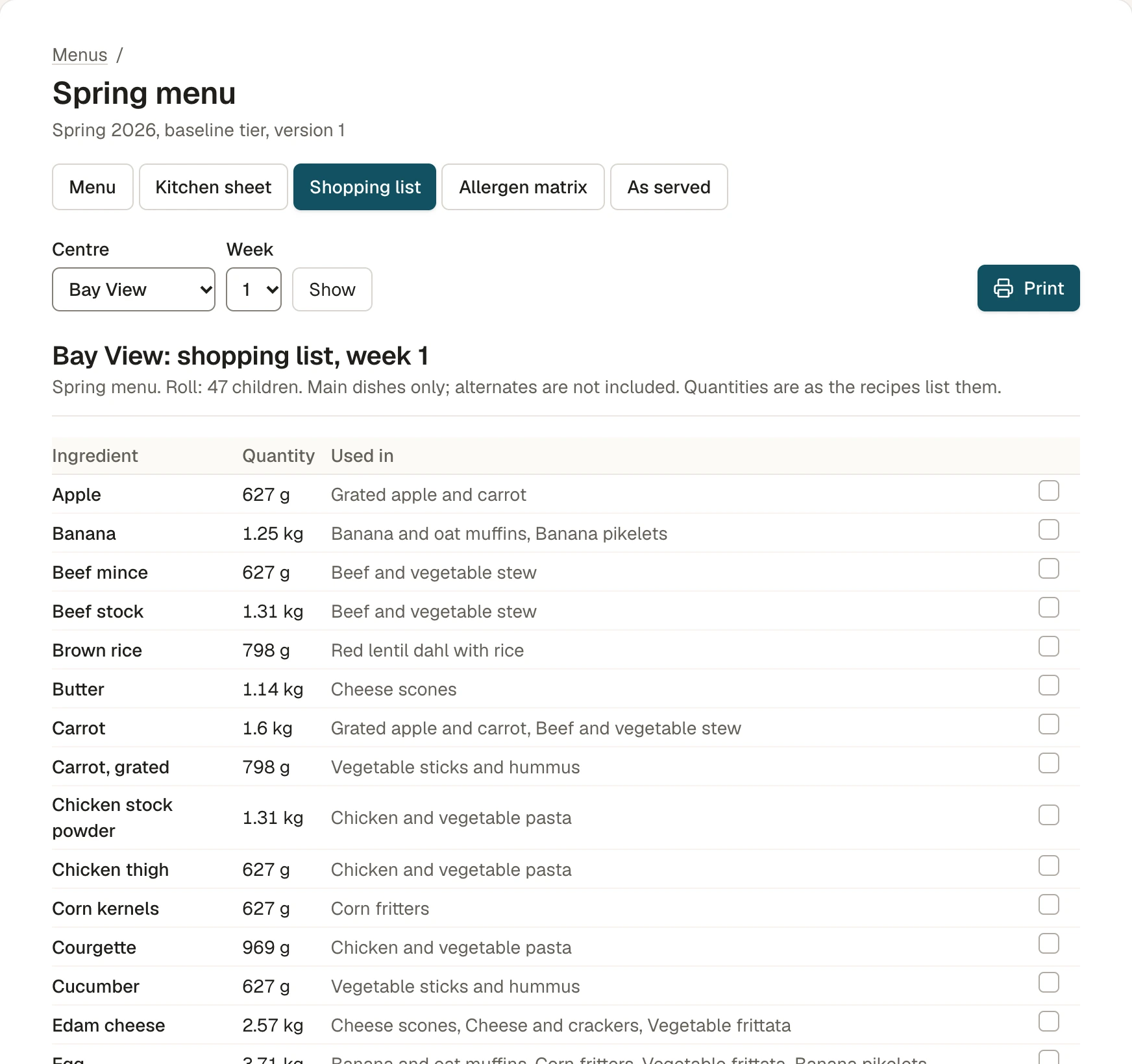
- Kitchen sheets that scale every quantity to the centre's roll in each age group
- A weekly shopping list worked out from the same numbers
- Label checks for the products where the allergen depends on the brand
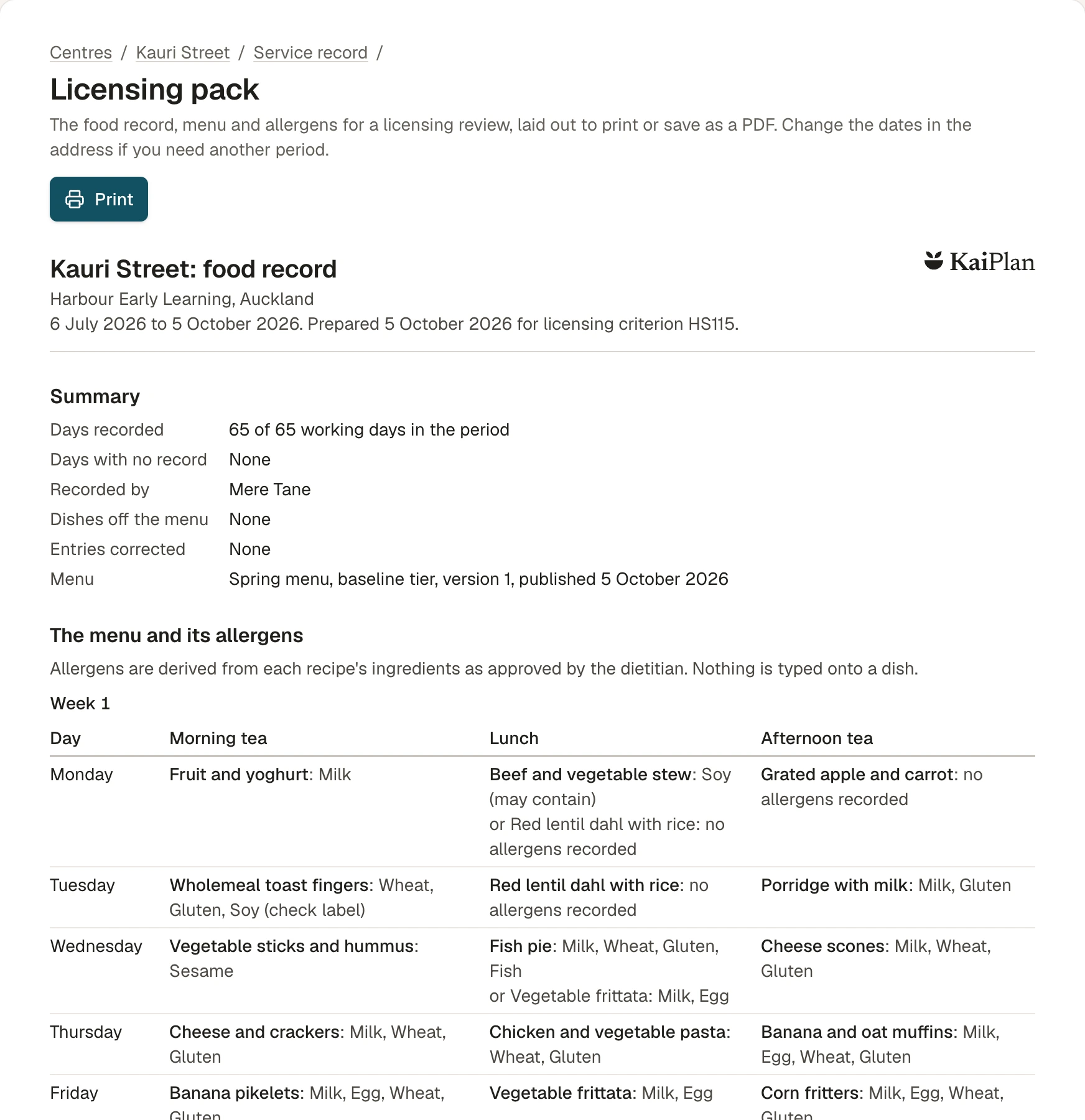
The food record
The food record, written as the day happens.
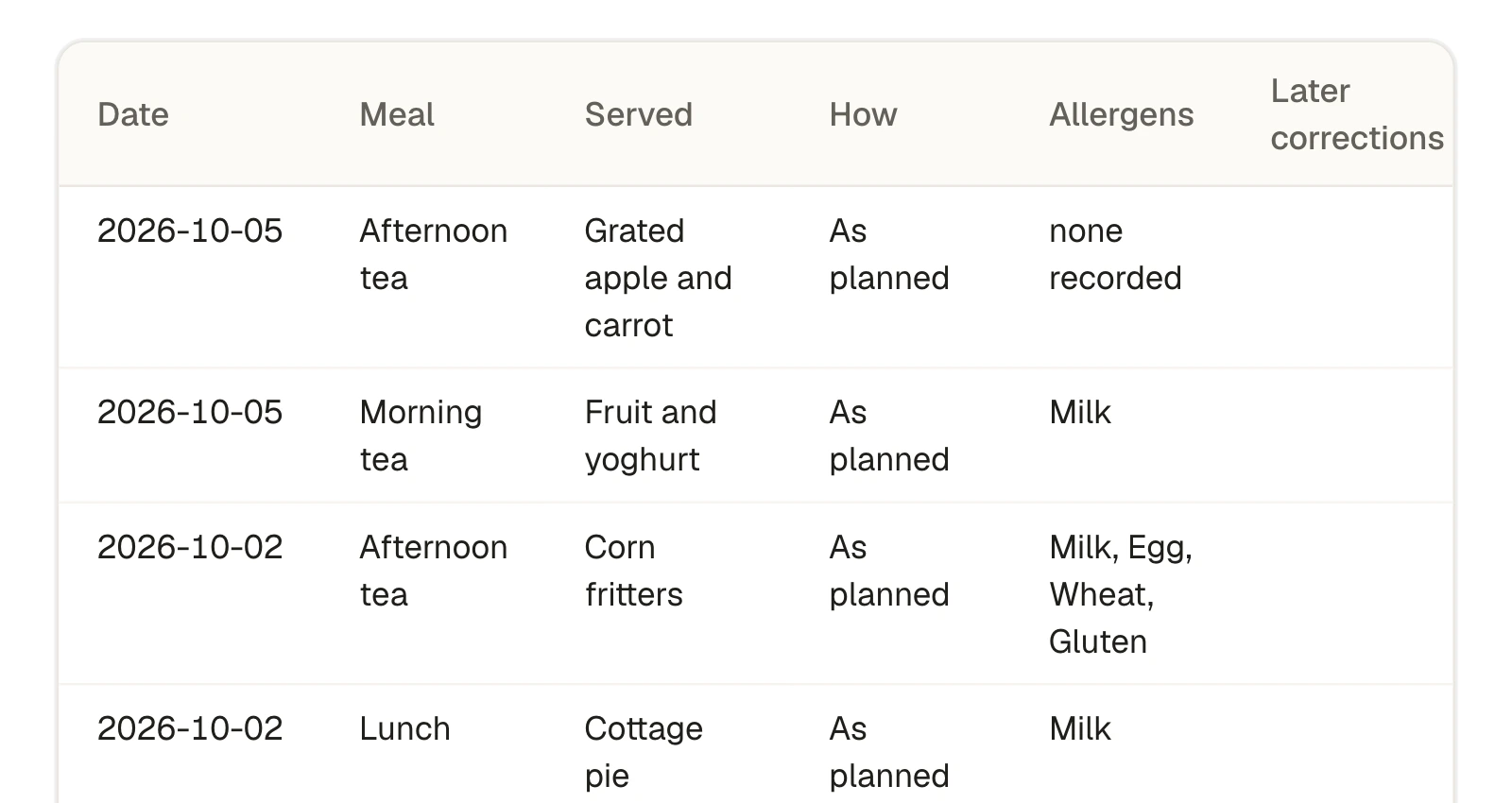
Licensing criterion HS115 asks for a record of all food provided, kept for at least three months. In KaiPlan the record is a by-product of the cook confirming the day.
- One tap when the day went to plan, and an honest way to record it when it did not
- Captured for every meal: the date, the dish, its ingredients and allergens as served, who recorded it and when
- Missed days can be filled in afterwards, and are stamped with when that was done
- A licensing pack for any period, laid out to print or save as a PDF
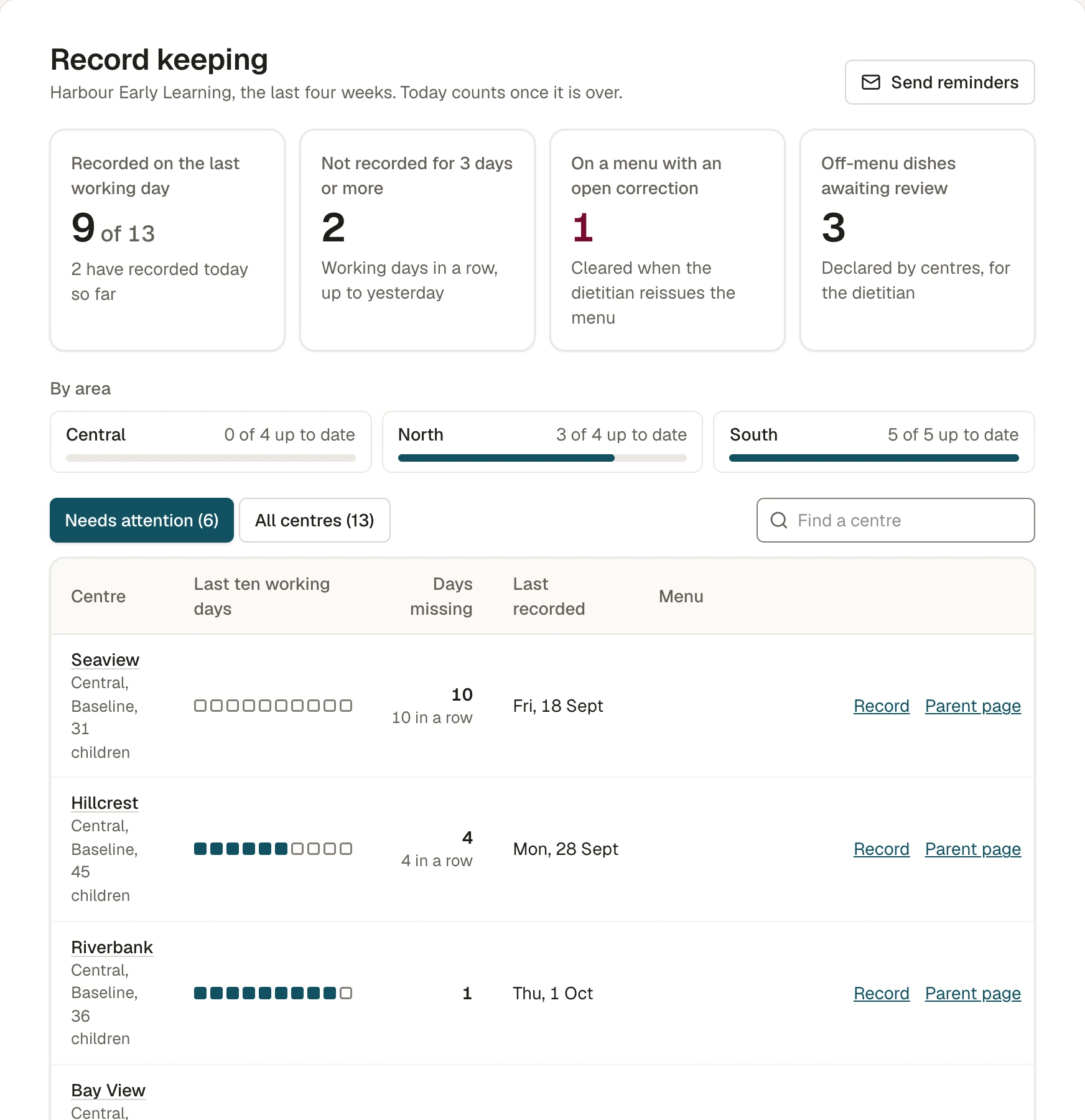
Across your centres
Every centre on one screen.
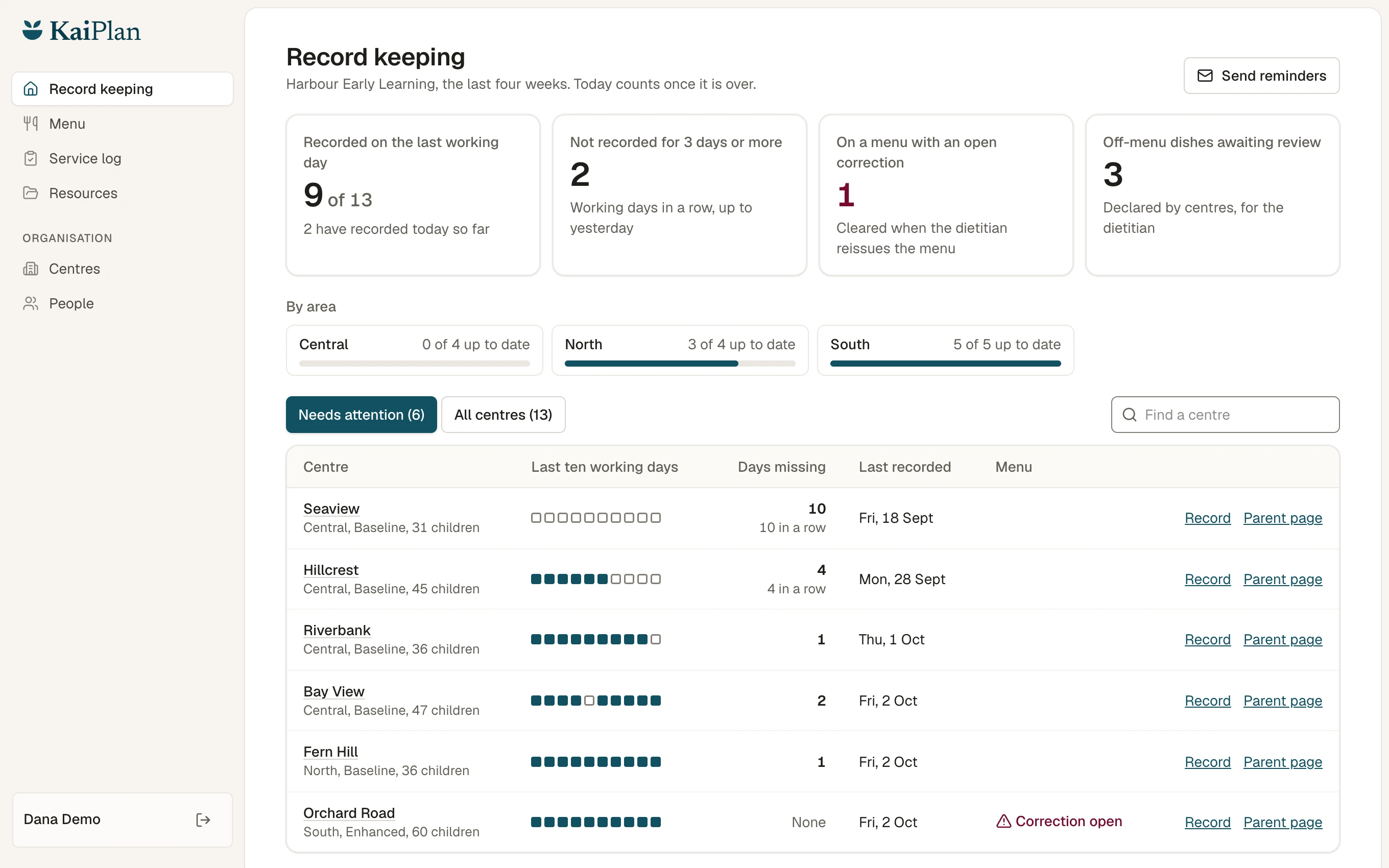
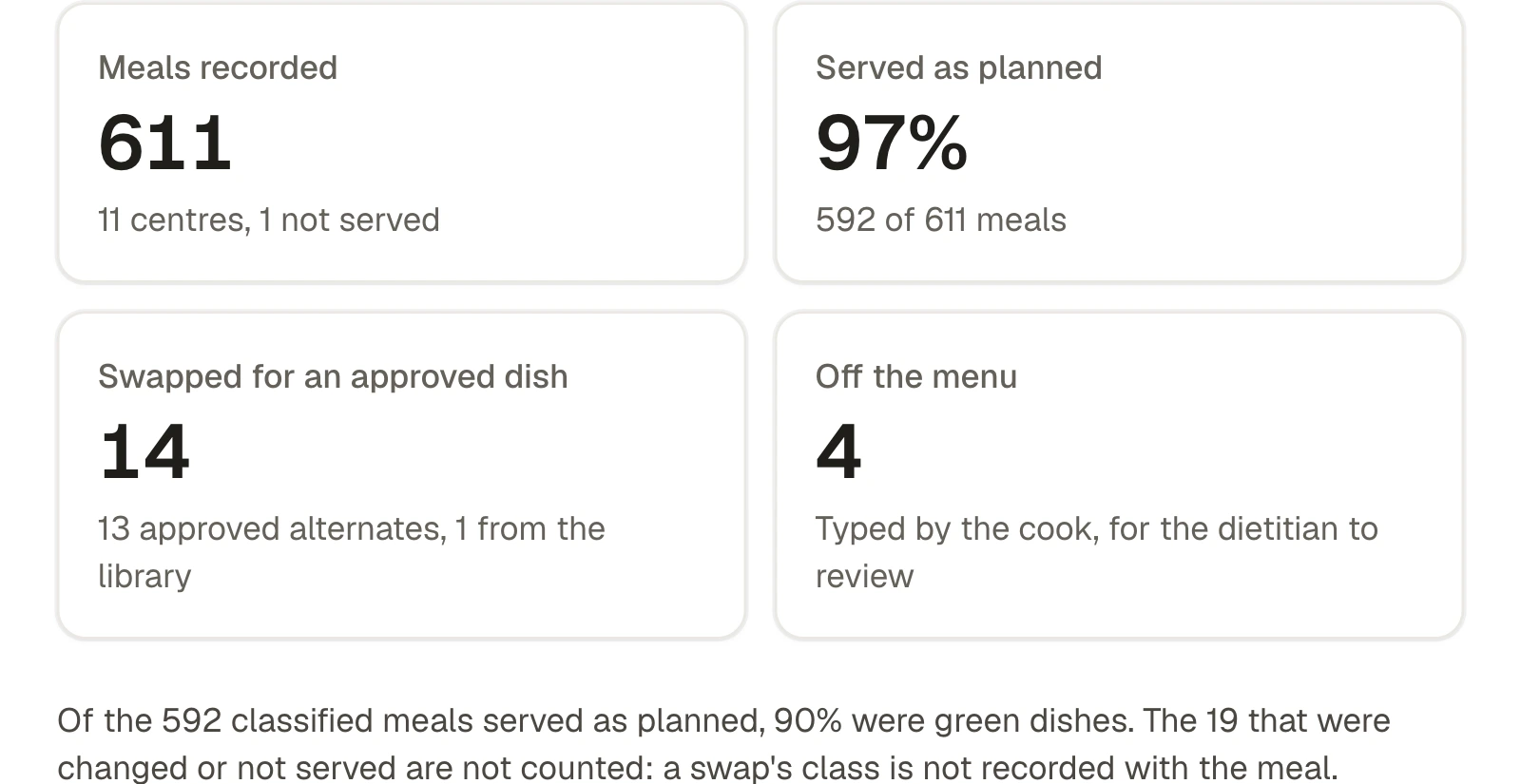
Head office and area managers see the same picture: which centres have recorded today, which have gaps, and which are waiting on a correction.
- Record keeping for the last ten working days, by area and by centre
- Reminders to the centres with gaps, sent when you press send
- How often each dish is swapped, and at which centres, to shape the next menu
- Centres and people loaded from a spreadsheet, with each person seeing only what is theirs
For parents and whānau
Parents see what is really on the menu.
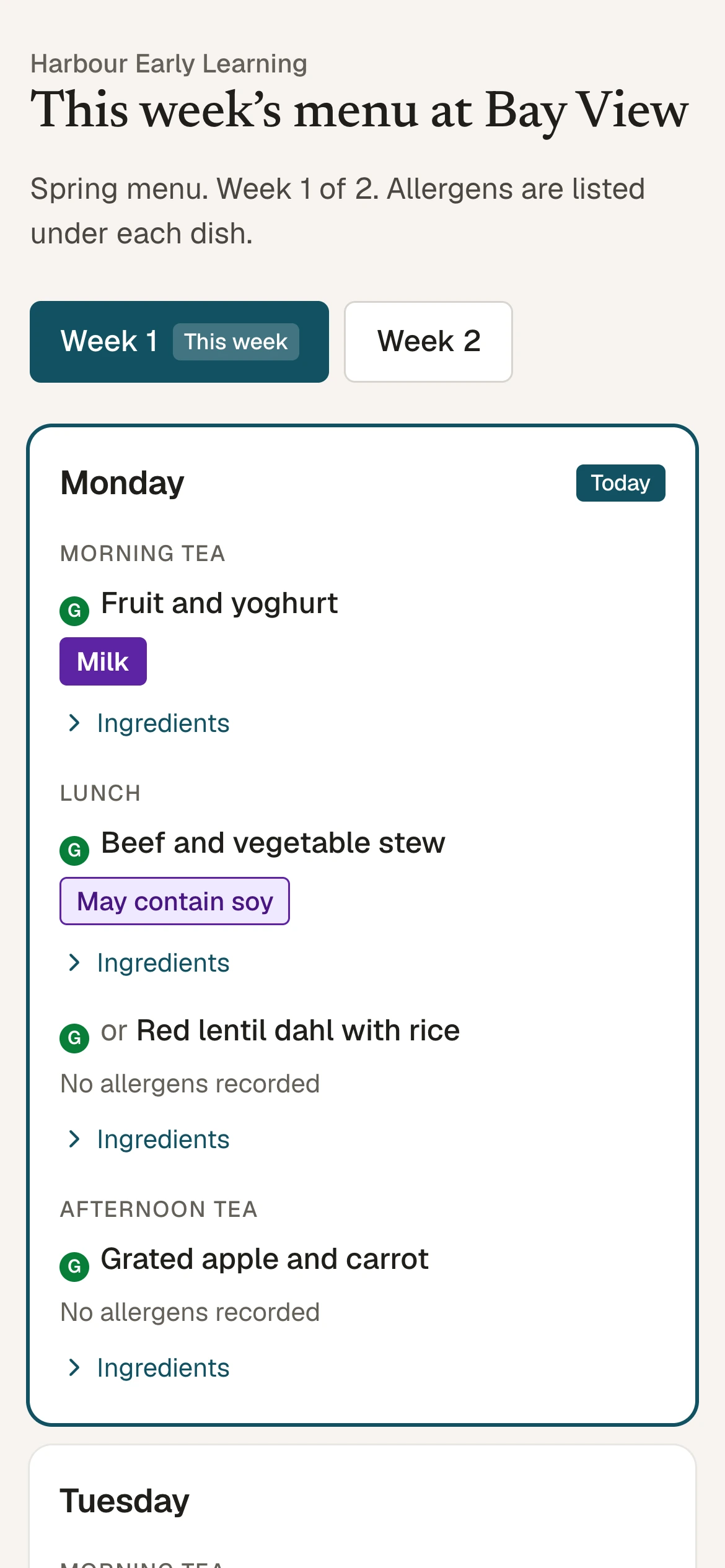
Each centre has its own page with this week's menu. It opens from a link or a QR code, needs no login, and always shows the menu the kitchen is cooking from.
- Allergens under every dish, with ingredients one tap away
- Approved alternates shown beside the dishes that have one
- A printable menu for the noticeboard
- Updates itself when the menu changes
Also inside
Assessment reports
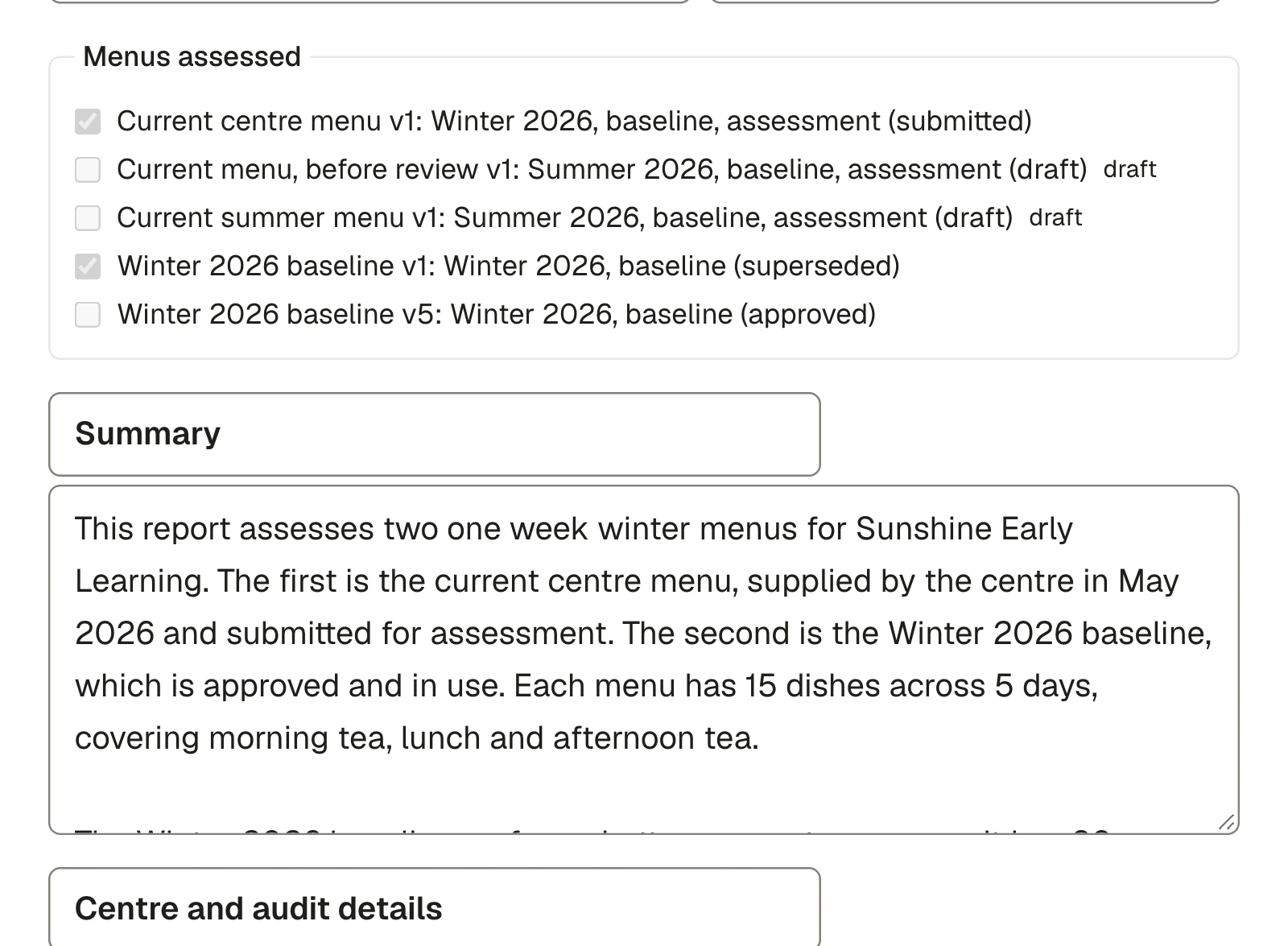
Computed tables and the dietitian's written findings, released to your organisation as Word or PDF.
Correction alerts
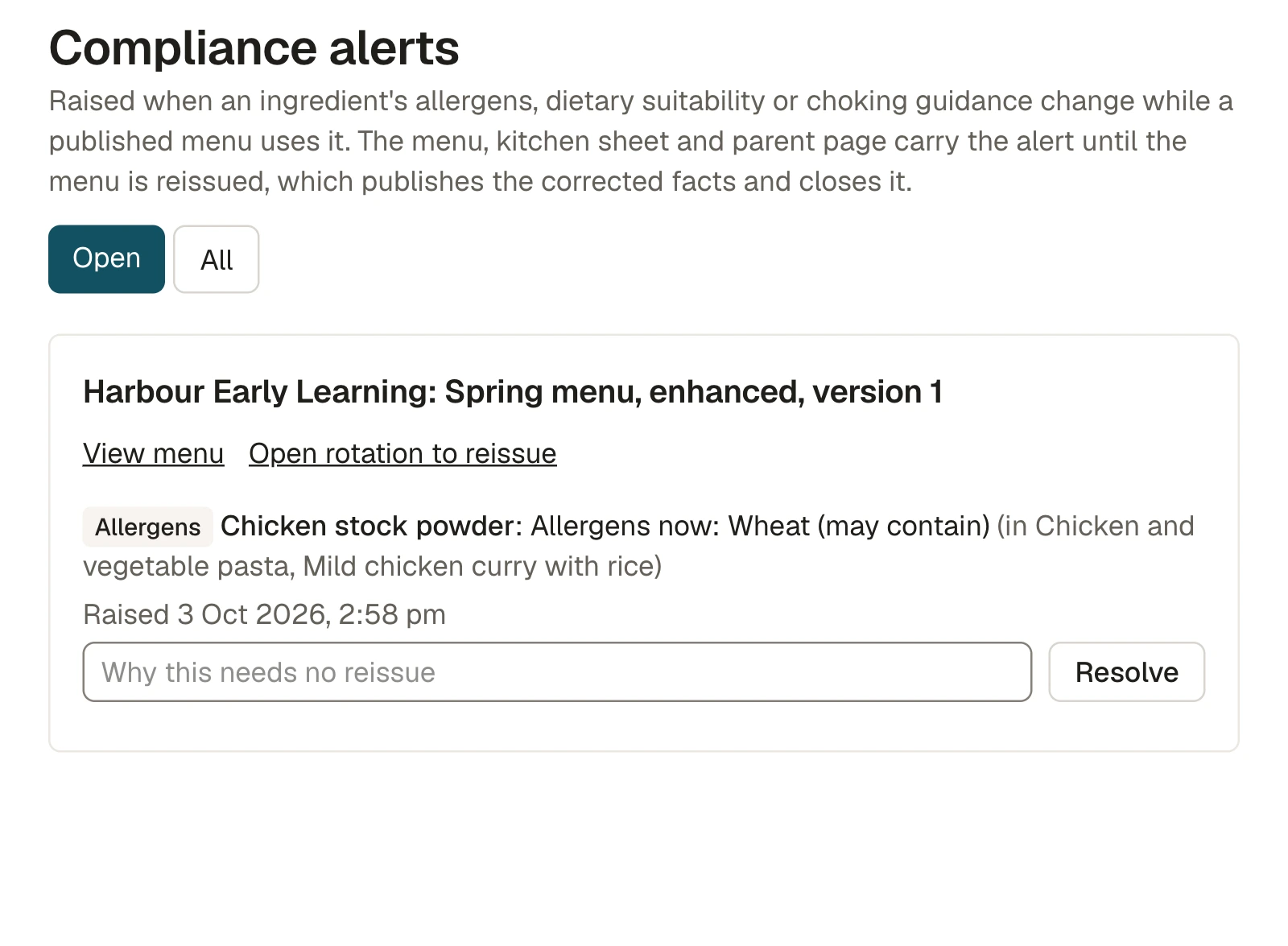
When an ingredient's allergens change, every live menu that uses it is listed until it is reissued.
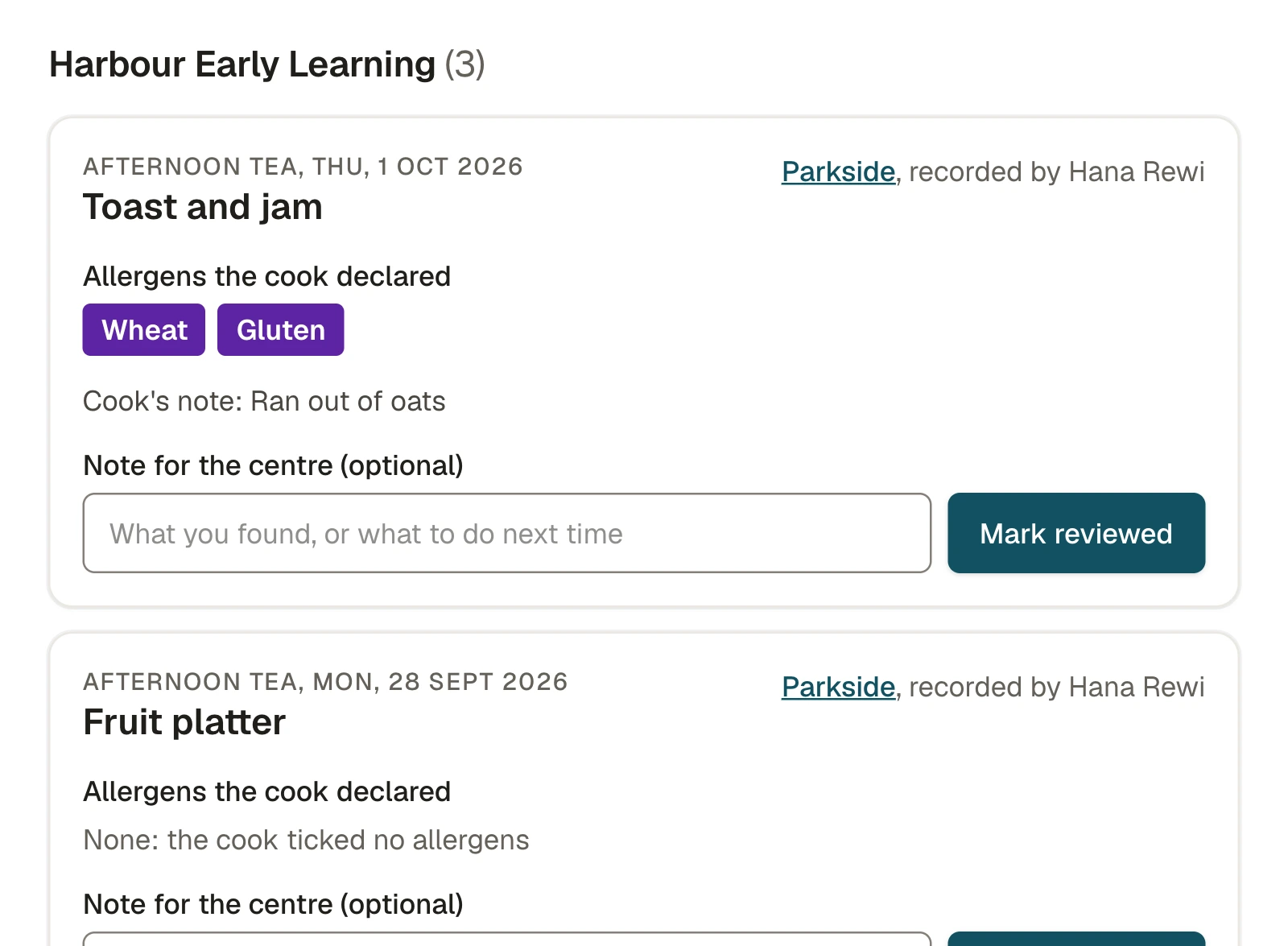
Off-menu review
Anything a kitchen served that was not on the menu, with the allergens the cook declared, waiting for review.
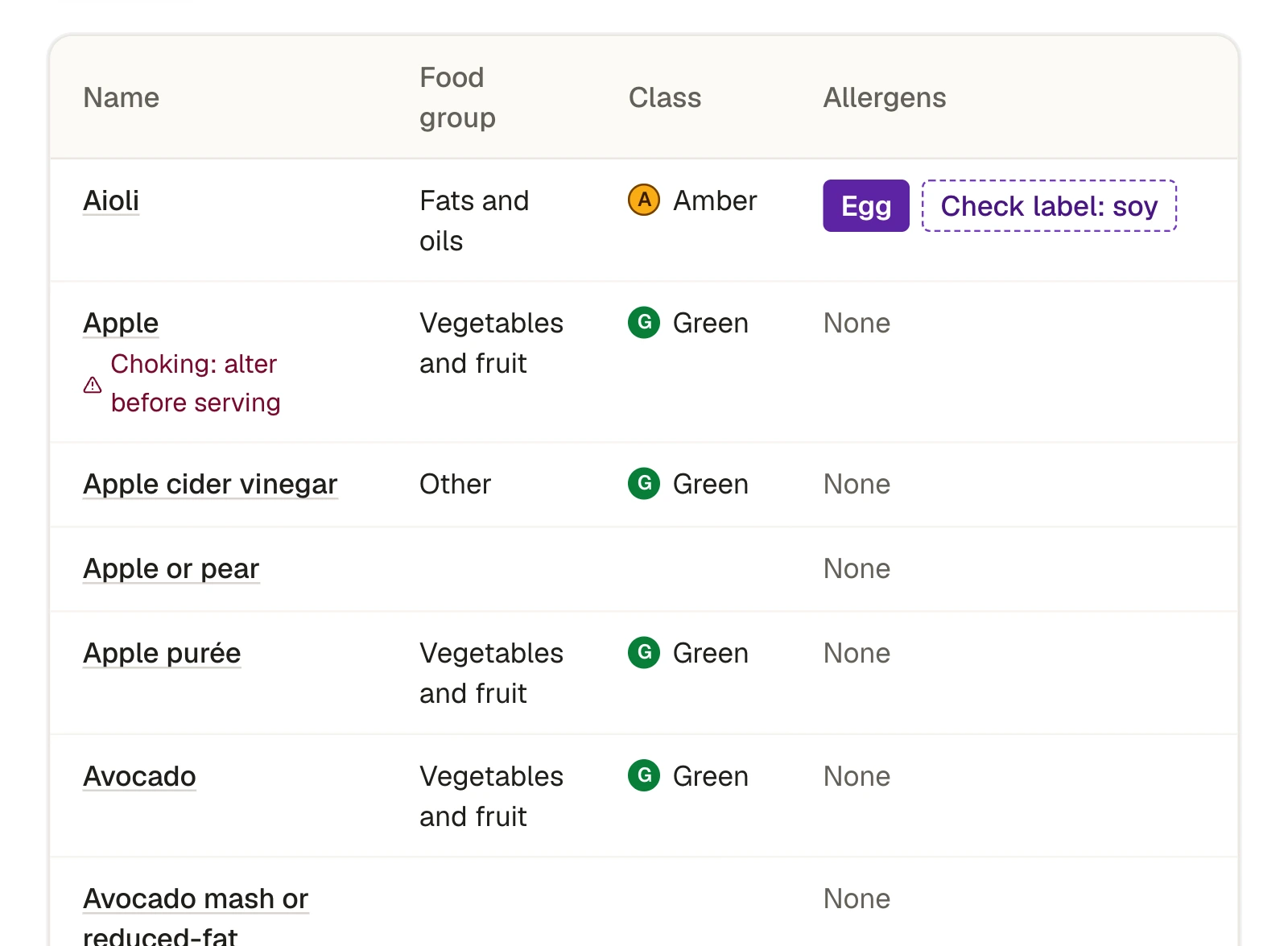
The ingredient library
Allergens, food classification and choking guidance are set once on the ingredient and flow to every recipe.
Your questions
Ten things providers ask a dietitian for. All ten are built in.
These are the questions we hear when a provider wants its menus reviewed and standardised. Each one has a place in KaiPlan.
- 01
Can you review the menus we use now?
Your existing menus are brought in as they are and run through the same analysis as any other menu, so you get an independent assessment and a side by side comparison. They stay marked as assessment only and can never be published to a kitchen by mistake.
Menu comparison
- 02
What should a menu for children aged 0 to 5 provide?
The dietitian sets nutrition targets for each age group: nutrients, food group serves and the share of a day's needs that should be met in care. Every menu is scored against them, and the gaps are listed.
Nutrition targets
- 03
Can we have one standard menu cycle, by season?
A menu cycle is built for each season, approved by the dietitian and published to every centre at once. Each version is kept, so you always know which menu was live on any day.
Seasonal cycles
- 04
How are infants, toddlers and preschoolers handled?
As three age groups, each with its own portions, targets and nutrition results. Every recipe, kitchen sheet and report is split by age group.
Age groups
- 05
What changes for the youngest children?
Each recipe carries a modification note for each age group. Choking guidance sits on the ingredients: a food to avoid blocks the recipe, and a food to alter prints with how it must be prepared.
Recipe cards
- 06
What about allergies, special diets and cultural needs?
Allergens are derived from ingredients and shown on every output. Suitability for diets such as vegetarian and halal is worked out the same way, and approved alternates sit beside the dishes that need one.
Allergen matrix
- 07
Will it work in a real centre kitchen, the same everywhere?
Recipes carry prep time, cook time, equipment and whether they can be made ahead. The menu builder shows each day's workload before anything is approved, and one menu is scaled to every centre's roll.
Kitchen workload
- 08
Do we get recipes, portion guidance and help rolling it out?
Recipe cards with portions for each age group in household measures, kitchen sheets, shopping lists, and a resource library for your implementation guides and policies.
Kitchen sheets and resources
- 09
Can we have a written assessment against New Zealand guidance?
Each assessment report pairs computed tables with the dietitian's written findings and action plan, and downloads as Word or PDF. The figures are frozen on release, so the report you were given never changes.
Assessment report
- 10
Can you show us different levels of provision?
A menu can be built for each tier, such as a baseline and an enhanced menu. Each centre is assigned its tier, and the tiers are compared measure by measure.
Menu tiers
Who uses it
Made for everyone who touches the menu.
Cooks
Today's dishes, quantities for today's roll, and one tap to record the day. Works on the phone or tablet already in the kitchen.
Centre managers
The week's menu, the allergen matrix for the wall, label checks, and three months of food records ready to print.
Area managers
Every centre in the area on one screen, with the ones that need a nudge at the top.
Head office
One standard menu, the written assessment behind it, and proof that it is being followed.
Parents and whānau
This week's real menu on their phone, with the allergens under every dish. No login.
Your dietitian
A recipe library, a menu builder that scores as it goes, and a queue of anything a kitchen served off the menu.
Careful by design
Built for the day someone asks what was served, and to whom it mattered.
No information about children
KaiPlan works at the level of the dish. It never holds a child's name, allergy or health details. Your centre matches the menu to its own allergy plans.
Your organisation only
Each organisation sees its own centres, menus and records. Access is by invitation, and your own admins manage your people.
Records that stay as written
A food record cannot be edited or deleted. A correction is added as a new entry beside the original, with who made it and when.
Hosted close to home
The application and its database run in Sydney, Australia.
Getting started
From a first conversation to kitchens recording.
- 1
A walkthrough
We show you KaiPlan with a demonstration organisation and talk through how your centres run their kitchens today.
- 2
Your current menus, assessed
If you want a starting point, your existing menus are assessed and compared before anything changes.
- 3
Your menu, built and approved
The dietitian builds your seasonal cycle and tiers, with a written assessment for your leadership team.
- 4
Centres go live
Centres and people are loaded from a spreadsheet, invitations go out, and kitchens start recording.
Nothing to install. It runs in the browser on the devices you already have.
Who writes the menus?
A New Zealand registered dietitian. Staff can draft recipes and menus, but only the dietitian can approve one, and only approved menus reach a centre.
Can we keep our own recipes?
Yes. Recipes in Word documents can be imported. Each one is checked by the dietitian, and its allergens are worked out from its ingredients, before it can go on a menu.
What does a kitchen need?
A phone, tablet or computer with a web browser and an internet connection. Kitchen sheets, the allergen matrix and the shopping list print on A4. A shared kitchen login can live on a tablet on the bench, and each record still carries the name of the person who made it.
What happens when the cook serves something different?
They say so. The cook can pick an alternate the dietitian has already approved, choose another dish from the library, or type what was served and tick its allergens. Anything typed in is marked as declared by the centre and goes to the dietitian to review.
What if an ingredient turns out to contain an allergen?
The ingredient is corrected once. Every live menu that uses it is flagged on the kitchen sheet and the parent page until the dietitian reissues the menu. Past food records are left exactly as they were, with the later correction shown beside them.
How long are food records kept?
KaiPlan does not delete food records. Licensing criterion HS115 asks for at least three months, and the record can be printed or downloaded for any period you choose.
Does it hold children's allergy information?
No. KaiPlan tells you what is in every dish. Which child cannot have it stays in your own allergy plans, where it is today.
Does it replace our food control plan?
No. KaiPlan covers the menu, the allergens and the record of food served. Food safety records under the Food Act, such as temperature logs, stay where they are.
We have one centre. Is this for us?
Yes. It is the same menu, kitchen sheet and food record whether you have one kitchen or hundreds. Larger providers add areas, tiers and a head office view on top.
What does it cost?
It depends on how many centres you have and whether you want your current menus assessed first. Ask for a walkthrough and we will quote for your organisation.
Book a walkthrough
See your own centres in it.
Tell us a little about your organisation. We will show you KaiPlan with a demonstration provider, then talk through what a menu review and rollout would look like for you.
- A guided tour of the kitchen, head office and parent views
- How your current menus would be assessed
- A quote for your number of centres